Category: Ticket System

Let’s meet at Knowledge19 in Las Vegas

Knowledge19

Let’s meet at Knowledge19

We are proud to sponsor the event as an Emerging Innovator and look forward to discuss anything related to integrating SAP and ServiceNow systems. You can see live demos of our SAP – ServiceNow integration add-on and talk about your plans, requirements and projects around SAP.

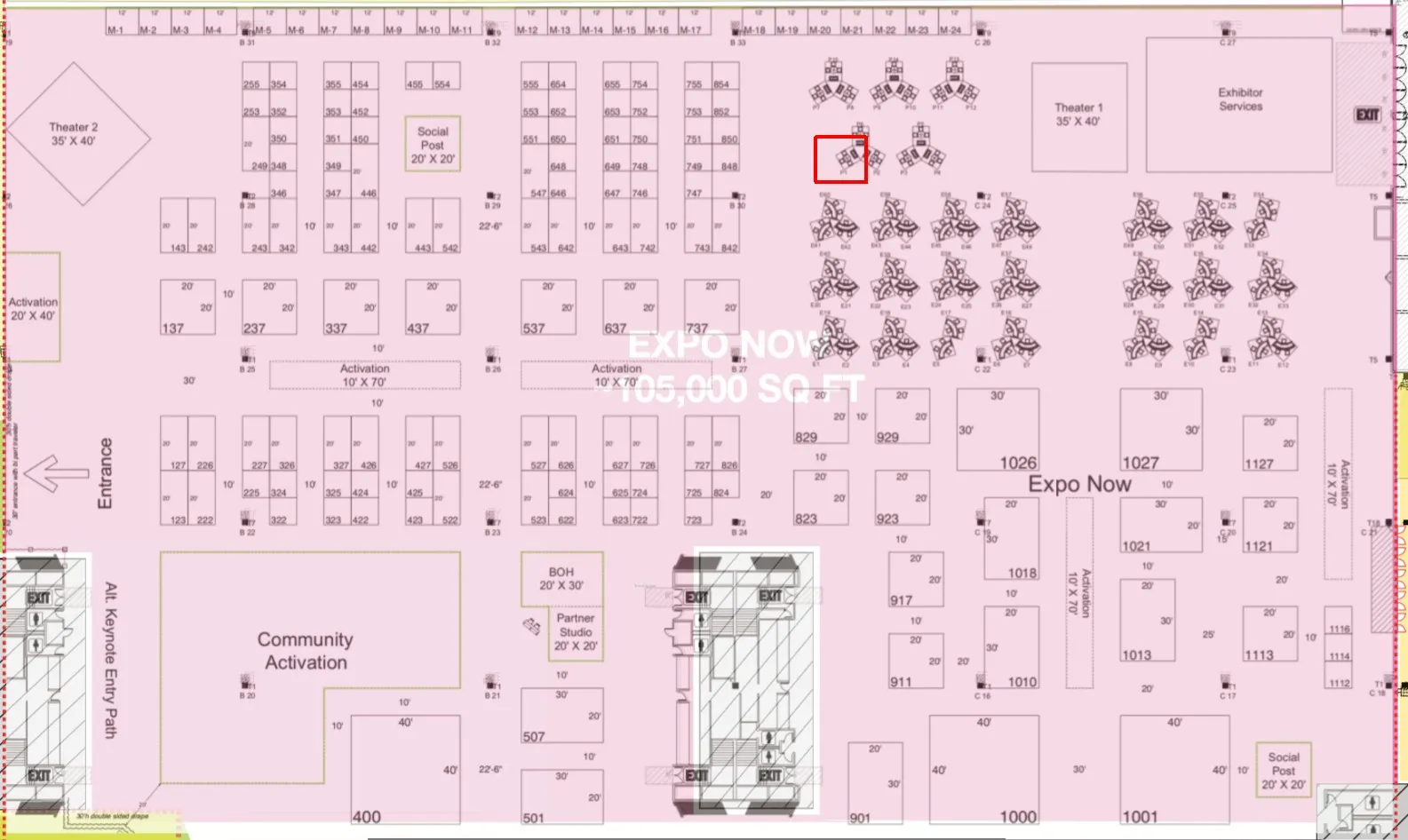
You can find us at booth P1:

Book a time at Knowledge19

Let’s organize a chat in advance. You can use the widget below to schedule a 15 minute session at the conference. Looking forward to meet you there.
Automatic SAP Note search for IT service management

Automatic SAP Note search for IT service management

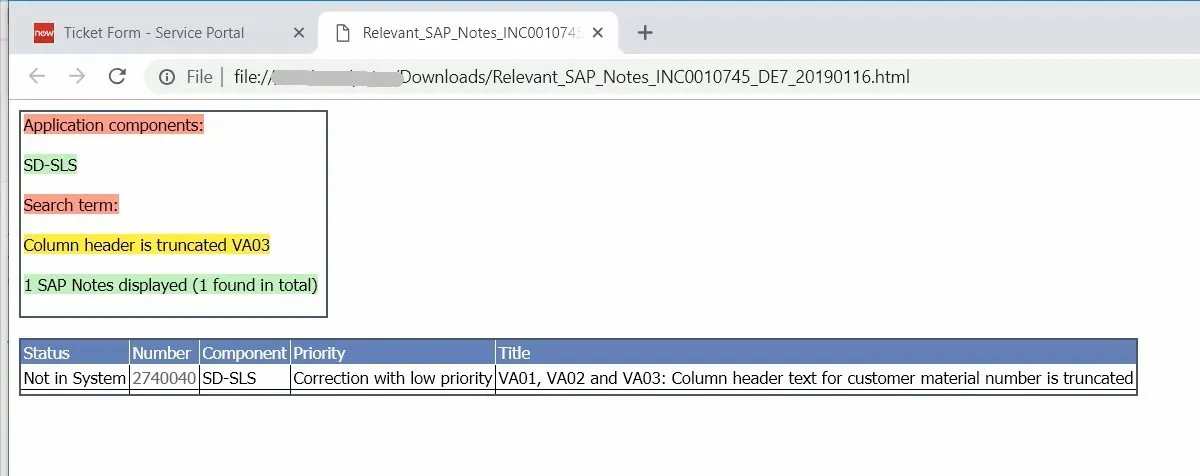
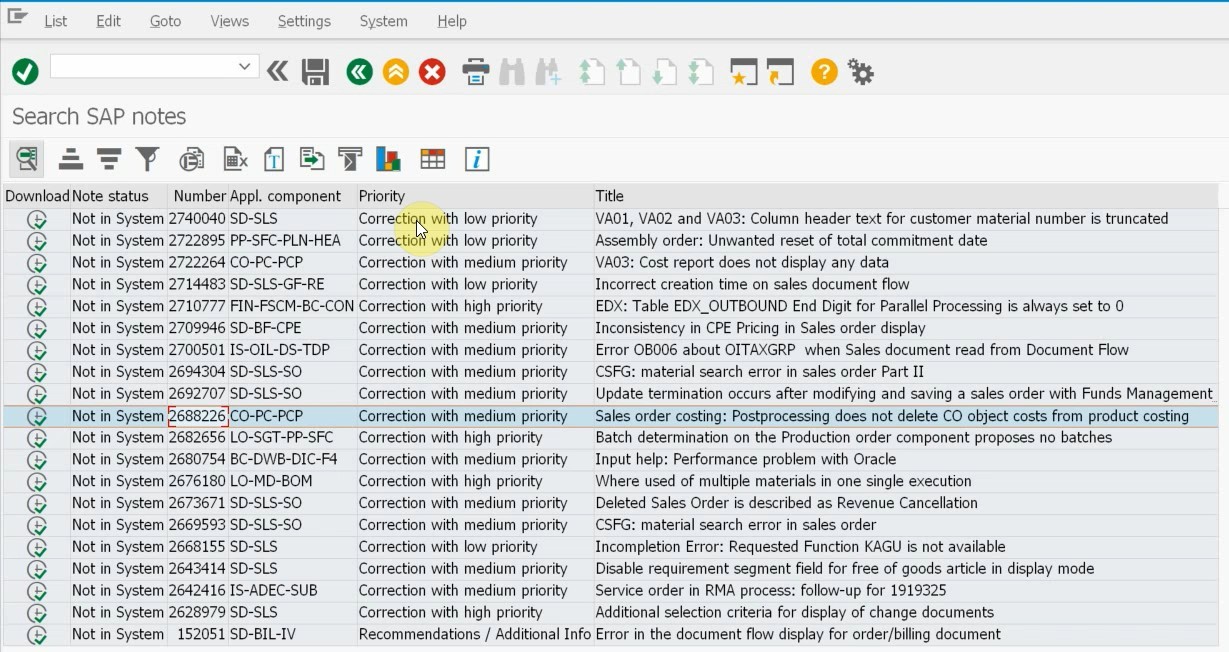
Get a list of relevant SAP Notes attached to your incidents

Whenever you encounter an incident in SAP, the first thing to do is to check if it is a problem in the standard SAP code or in your custom developments. If it is a standard SAP problem, your SAP analysts will look for a relevant SAP Note (correction or knowledge base article) using the support website of SAP. 

SAP has realized that this is a task that can be automated in some cases. They have introduced automatic SAP Note search for three distinct scenarios: 

  • Automated Note Search Tool (ANST) – a tool that allows SAP end users or analysts to make a “recording” of the incident (reproduce the issue) and perform a search based on the execution logs
  • Performance Assistant Note and KBA Search (PANKS) – which performs a search based on the error message details
  • Runtime errors (short dumps – ST22) – a search button is added which uses the problematic source code position as a search criteria

However, these tools are not integrated with external ITSM platforms or SAP Solution Manager Service Desk. All of them require manual execution and some sort of technical expertise from the end user.

Our Ticket System for SAP can perform an automatic SAP Note search and attach the list of relevant SAP Notes to tickets created in an external ITSM tool or in SAP Solution Manager Service Desk.

Attach SAP Note search results to tickets

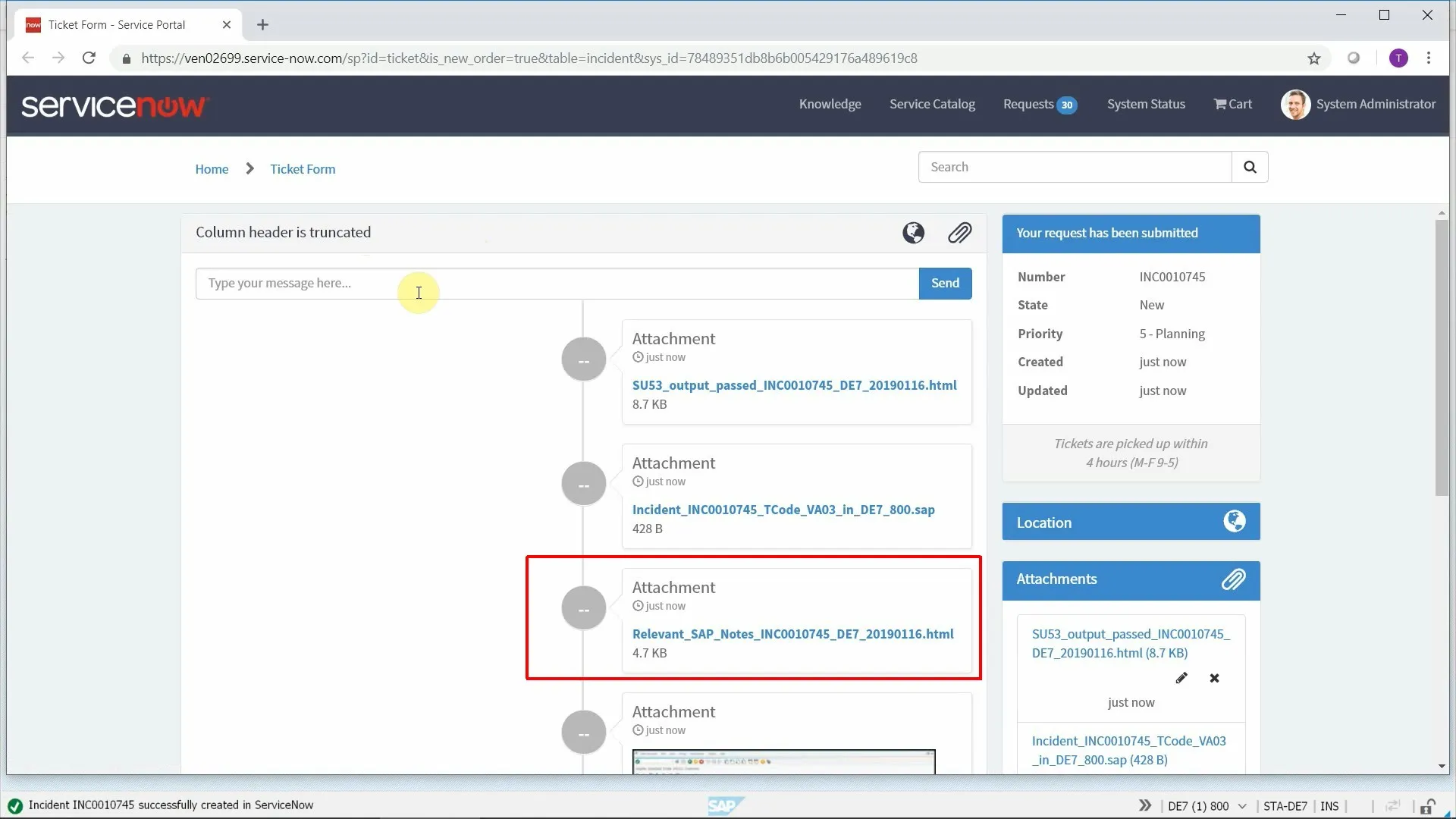
The core feature of our SAP add-on is that SAP end users can submit errors directly from SAP to any ticketing tool and the program attaches all relevant information to the created ticket. This is now further enhanced with the results of the automatic SAP note search attached as an HTML file.

The SAP end user does not need to do anything, everything happens in the background. Simply submit an error report from SAP as usual.

How does the search work?

Our add-on uses the built-in functionality to search for SAP Notes (requires basis release 7.00 or later). The search criteria is constructed from the following elements:

  • Subject line contents for a full-text search (optionally together with the current transaction code)
  • Components of the SAP system with versions taken into account
  • Application component of the problematic screen
  • Implementation status in the current system

This allows the program to retrieve SAP Notes that are relevant for the affected SAP system and running program, without displaying SAP Notes that are already implemented or are not valid for your SAP component version.

Manual search

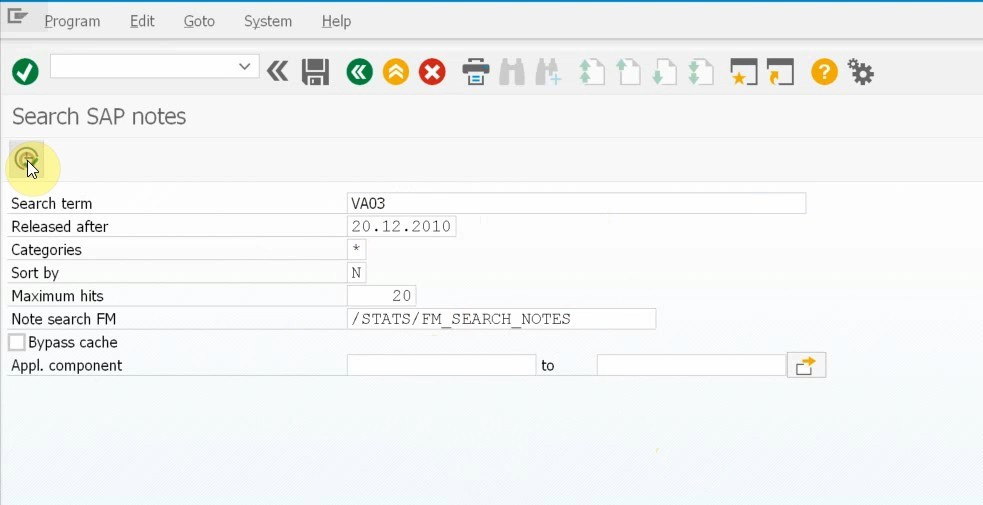
Advanced users can override the automatic search manually by pressing a button on the main screen. That will call a SAP Note search report where they can change the filter criteria as they want and attach the results of their manual search instead of the automatic one.

Benefits

All this will result in less manual effort and often a quicker ticket resolution, as the solution may be attached already to the generated ticket.

Videos

Next steps

Schedule a demo

Let’s make a conference call and show you how our products work and answer all your questions.

Download a free trial

Get a free 30-day trial and test the product in your own SAP systems.

Get in touch

Still have questions? Do not hesitate to contact us and get them answered.

Sharing is caring

Display relevant Knowledge Base Articles in SAP to reduce ticket volume

Display relevant knowledge base articles in SAP GUI

Deflect tickets, improve resolution times and reduce IT support costs

A well-maintained knowledge base is arguably one of the most efficient tools that your IT service desk needs. Without a knowledge base, your organization may have to deal with lengthy telephone calls, unhappy users and too much stress on your support teams.

However, even if you have the best knowledge base on the planet, if users don’t use it, then it is just a waste of time and effort.

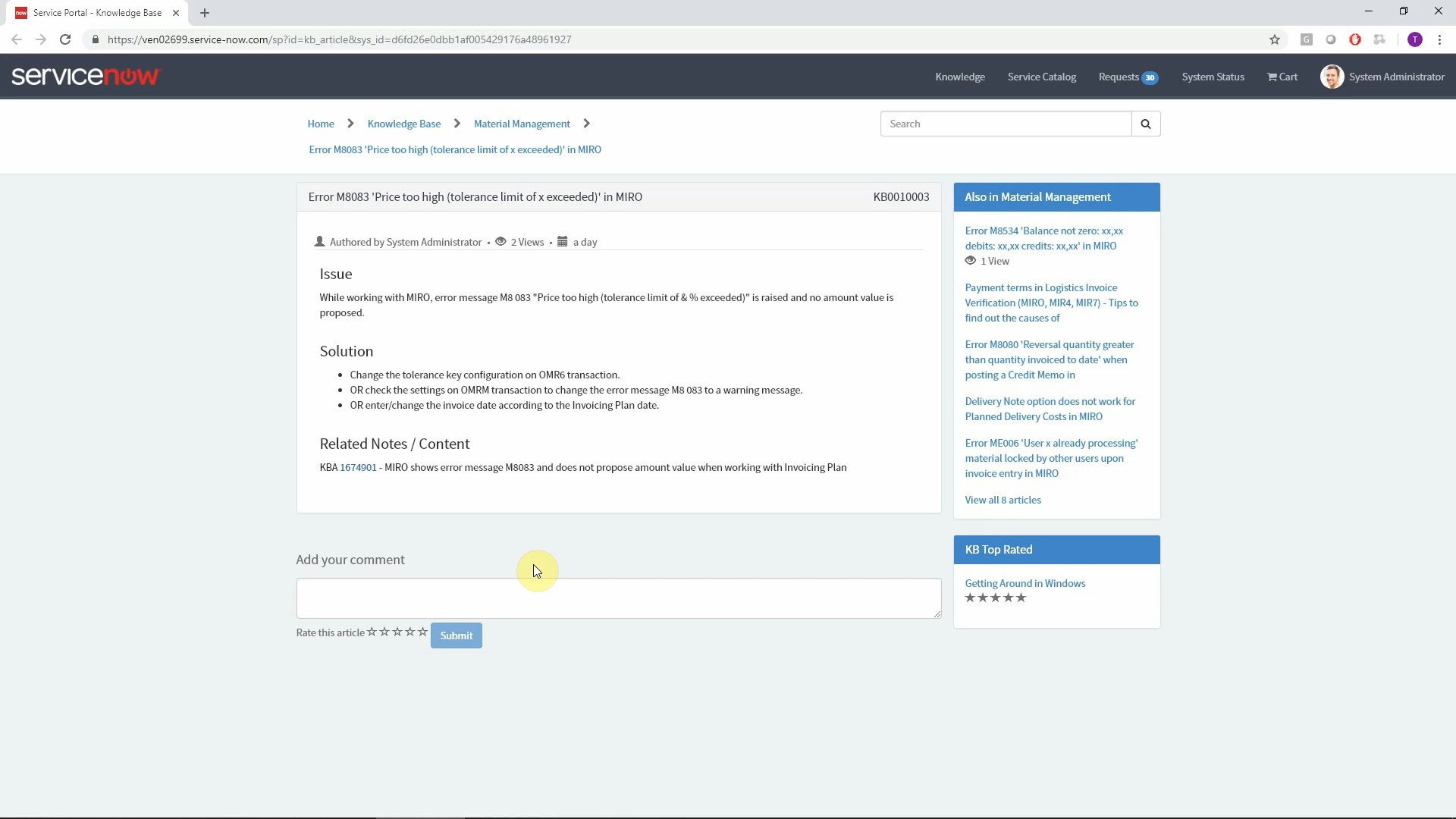
Our SAP add-on can display relevant knowledge base articles directly in SAP where an error occurs, what maximizes the utilization and the effectivity of your knowledge base.

Automatic full-text search based on the subject line

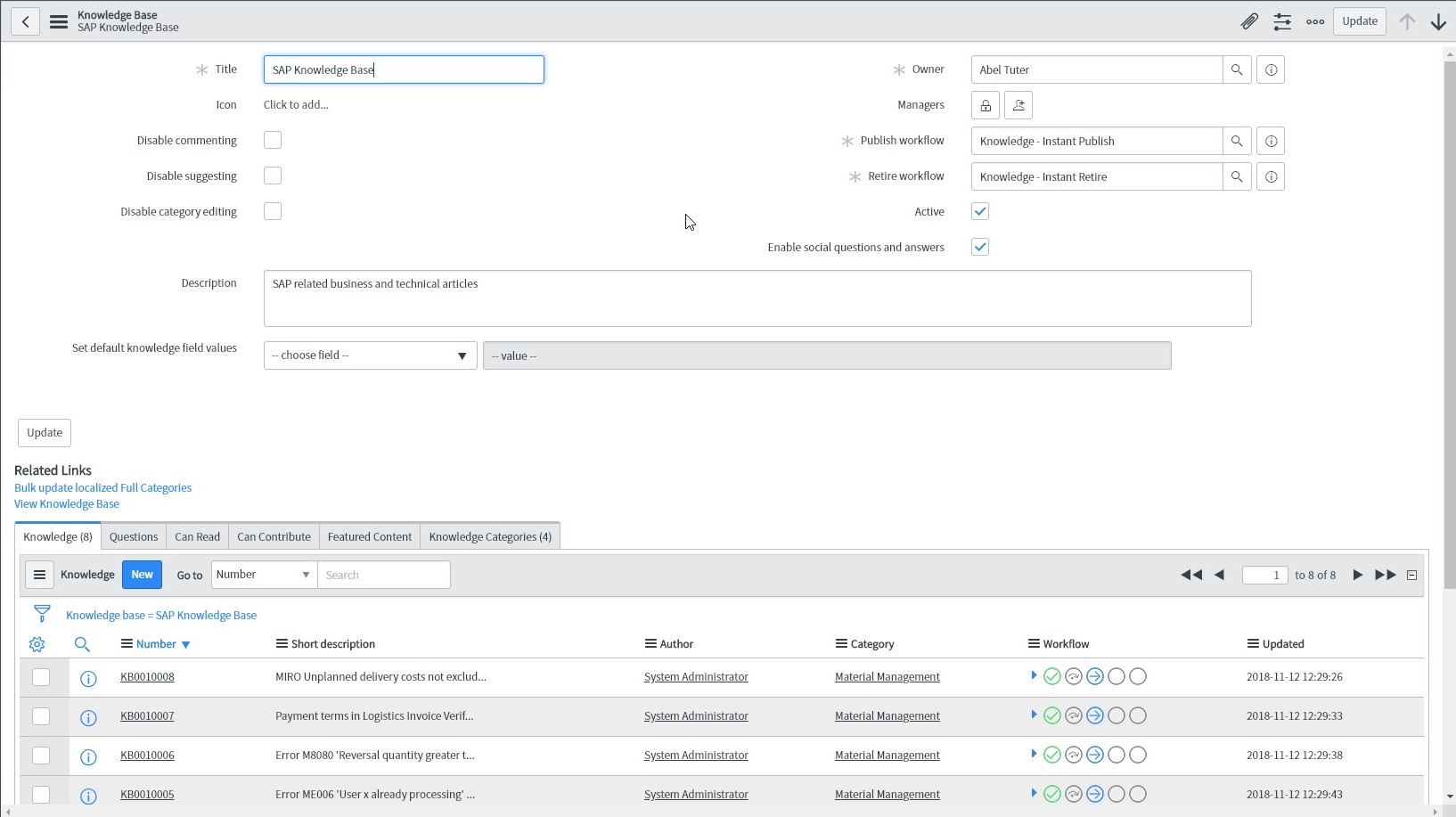
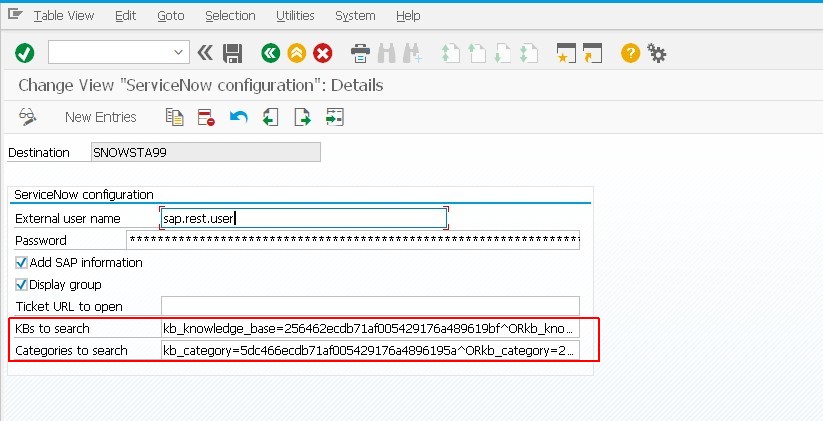
When an SAP user submits a ticket using our Ticket System for SAP, our add-on performs an automatic search in the knowledge base of your connected ITSM platform. The search criteria is the subject entered by th user and the search is triggered when the user presses enter.  Relevant knowledge base articles are displayed at the bottom of the screen, eliminating the possibility of users overlooking an instant remedy for their problem.

The article list may contain any relevant organizational structures (like category, subcategory and type) and the title of the article. Double-clicking an article in the list opens the knowledge base article in an external browser window.

Search by SAP transaction code as tag

Full text search is not the only option for looking for solutions. If you add SAP transaction codes as tags to your knowledge base articles, you’ll be able to explicitly control which articles are shown for errors on specific SAP transactions.

Naturally the program automatically detects the current transaction and performs the search.

Custom rules

You can even make the knowledge base search mandatory. For example, submitting a ticket may be disabled unless the user has performed a search in the knowledge base. Once they are sure that they cannot solve the problem, the ticket creation button can be enabled again.

Benefits

You can reduce the number of tickets by proactively suggesting solutions to issues even before the employee raises a ticket. This also improves the customer satisfaction level and frees up the valuable support resources that no longer have to deal with repetitive issues that end users can solve themselves.

Improve the ROI and the effectivness of your knowledge base by using an automated search.

Video

You can see how our Ticket System can help you to better utilize your ITSM knowledge base.

Next steps

Schedule a demo

Let’s make a conference call and show you how our products work and answer all your questions.

Download a free trial

Get a free 30-day trial and test the product in your own SAP systems.

Get in touch

Still have questions? Do not hesitate to contact us and get them answered.

Sharing is caring

Automatic support group determination based on SAP transaction

Automatic support group determination based on SAP transaction

Spend less time on assessment of tickets and finding the correct assignment group

There are a few approaches to automatically set the correct assignment group for incoming incidents. Some companies set up different email accounts for different incident types, but that is not granular enough and it is difficult to maintain. Others set up dropdown menus on self service portal pages for users but they might not always know which one to choose. All common approaches involve manual activities that slow down the process.

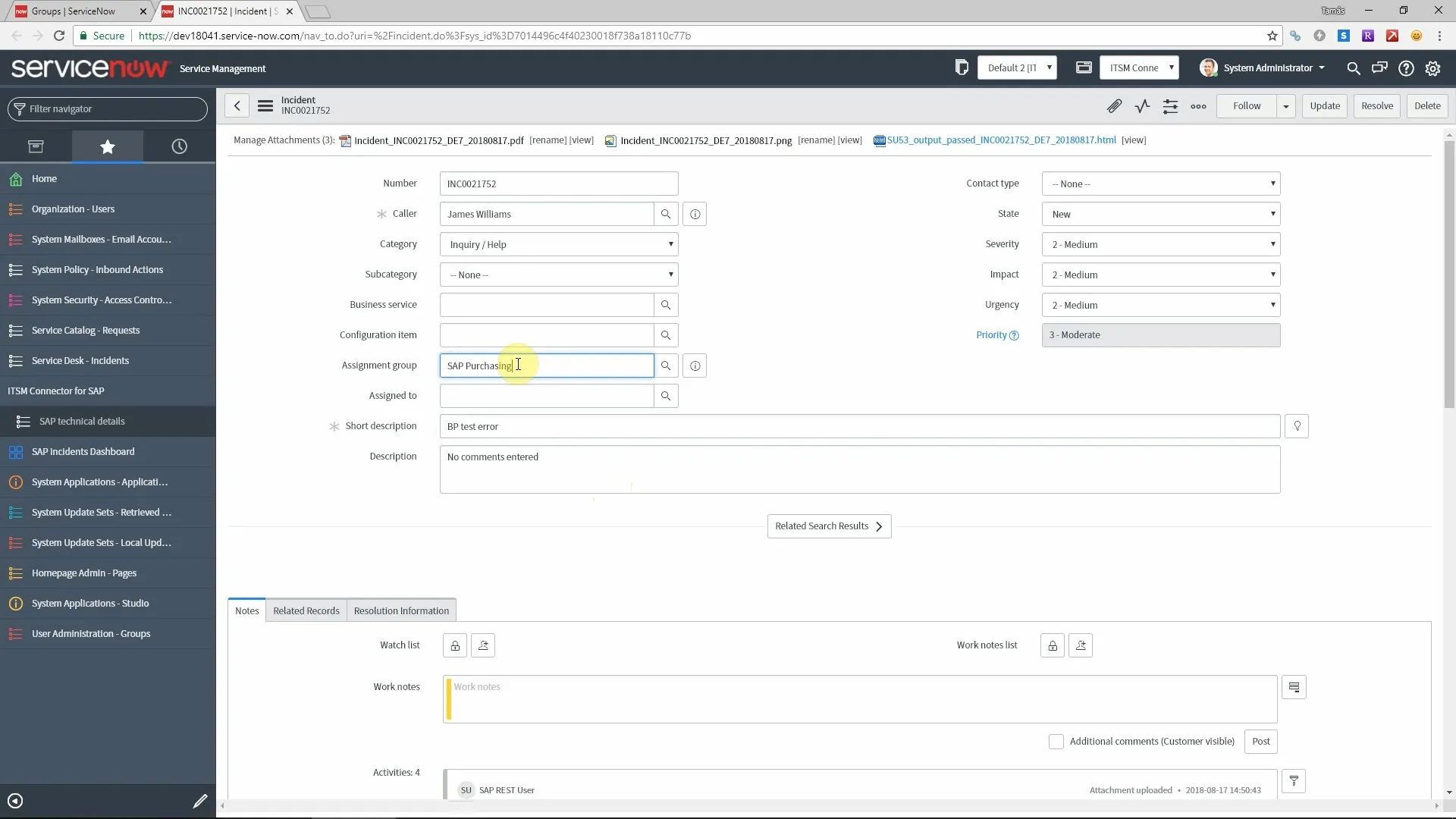
When it comes to SAP related incidents, usually the service desk has teams per module, like Material Management, Finance, Sales and Distributopn and so on. Our SAP add-on can automatically set the support group of an incident based on the properties of the currently running program.

Assign groups to SAP modules or transactions

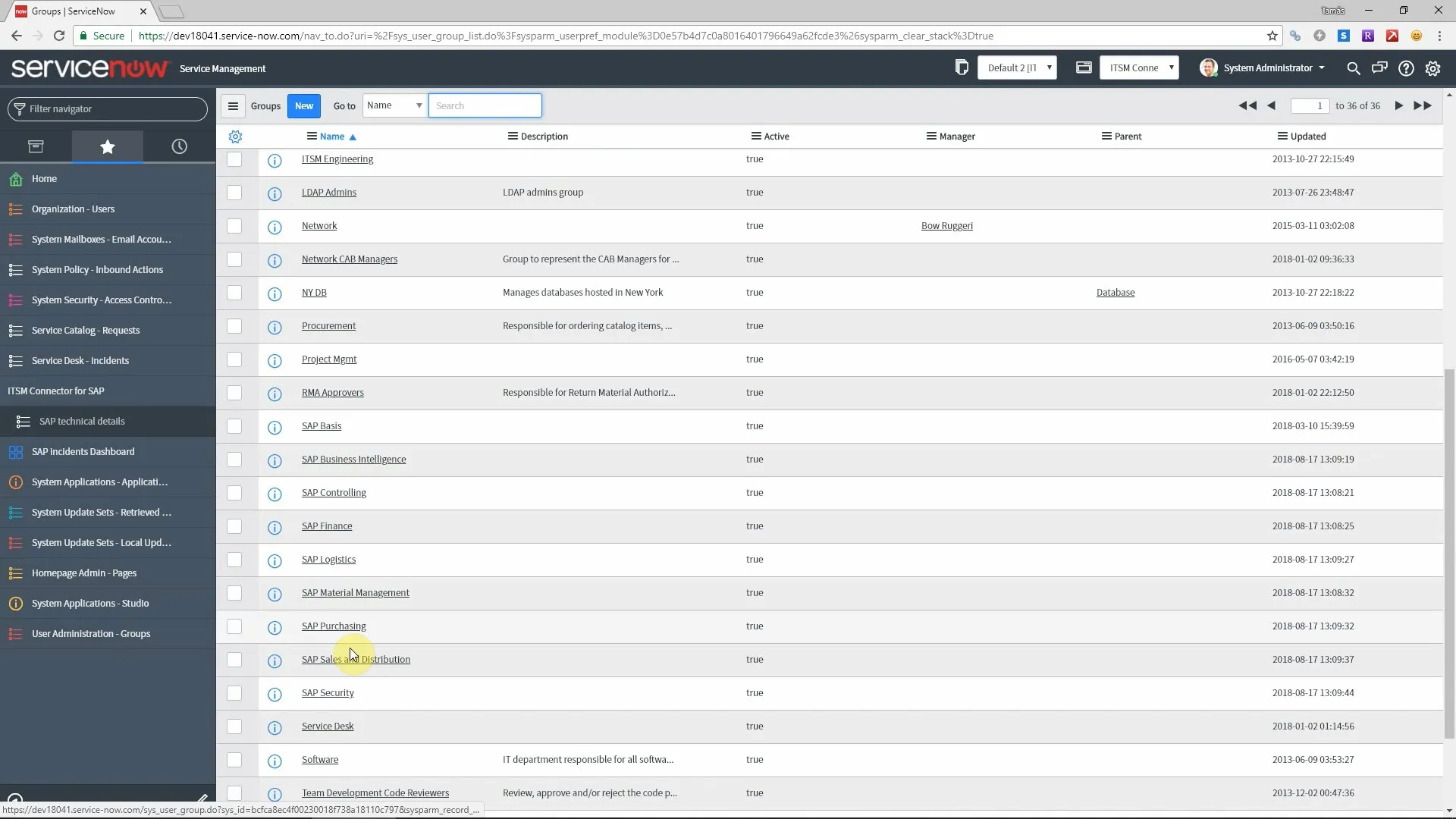
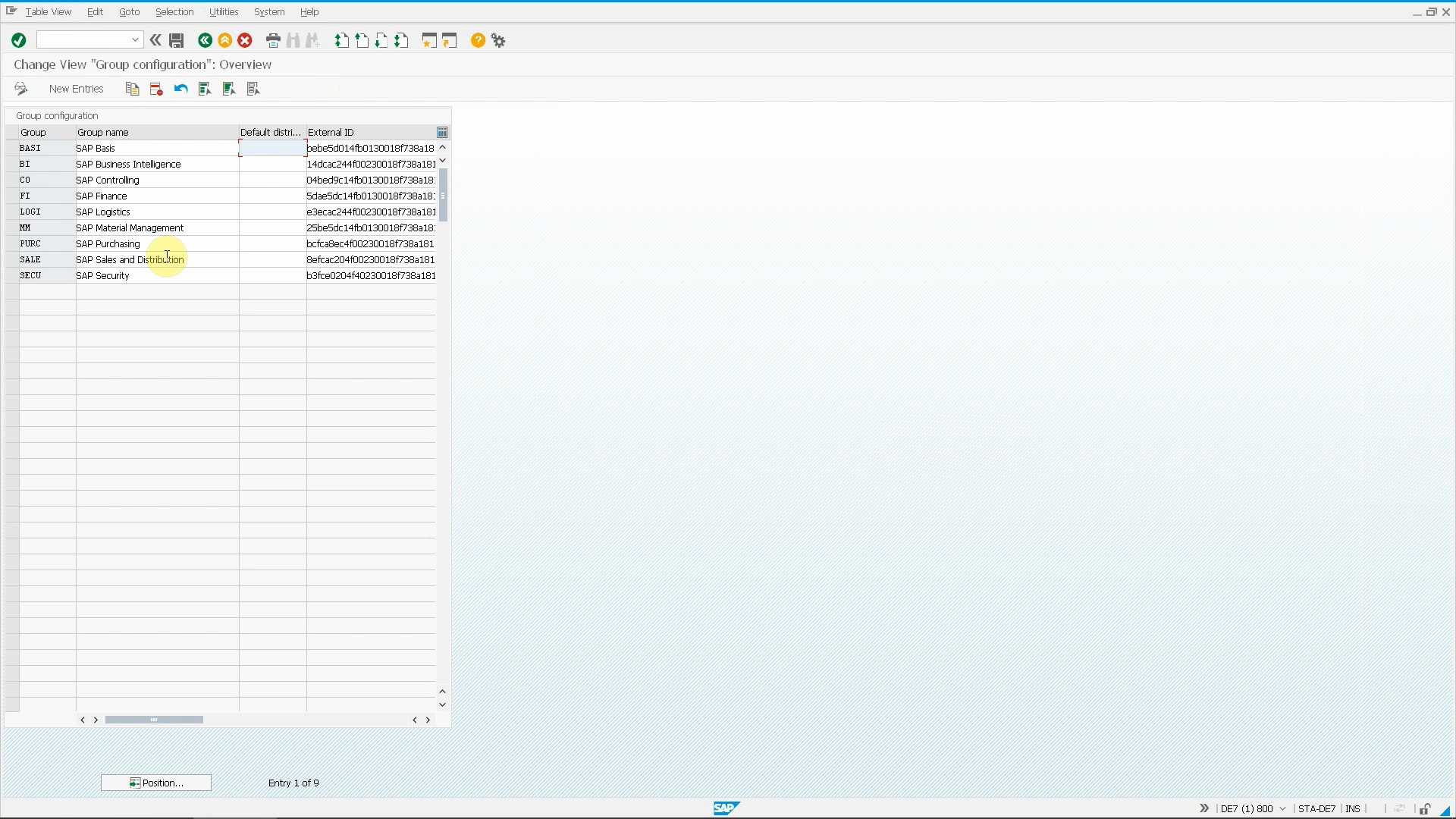
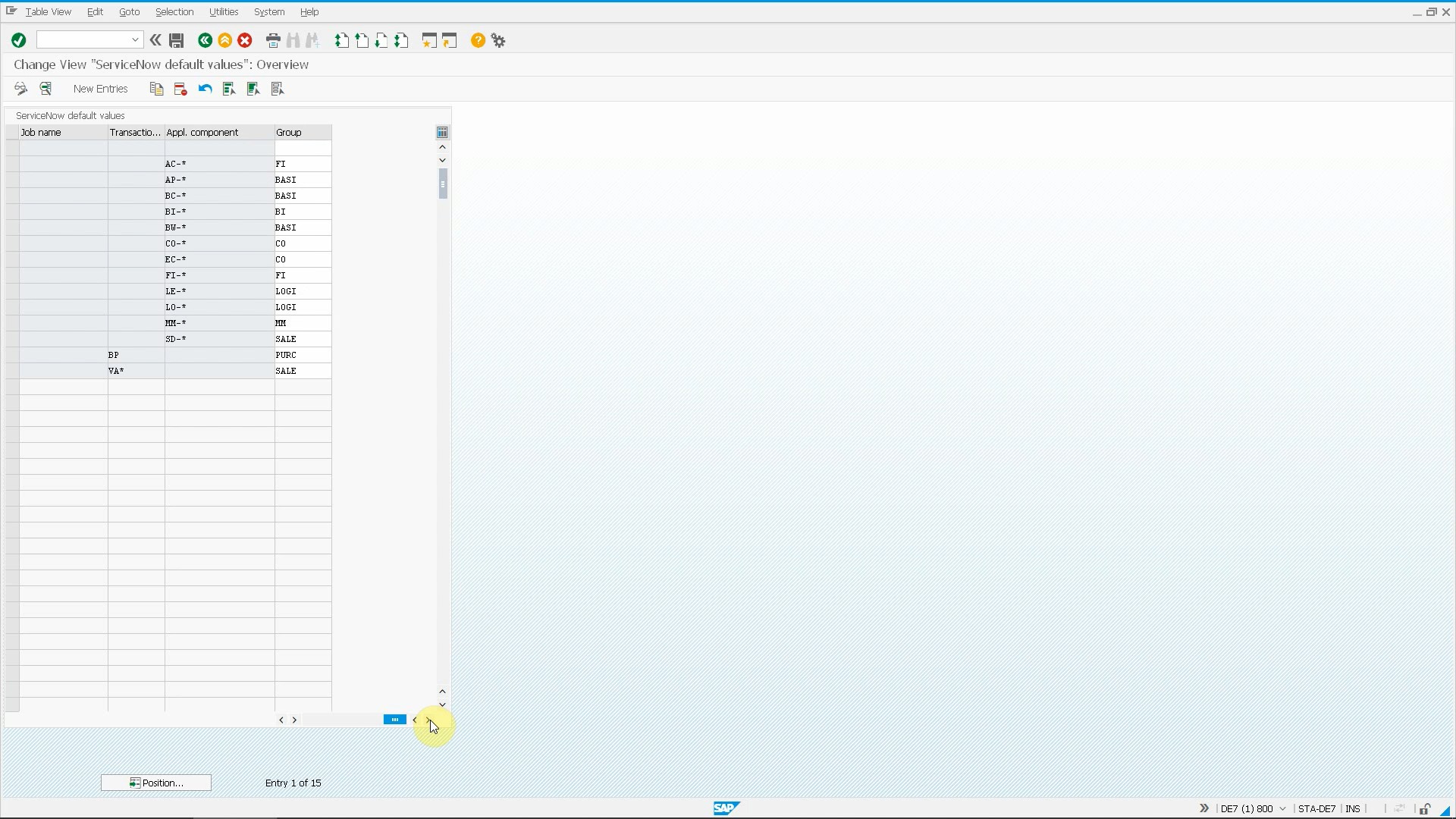
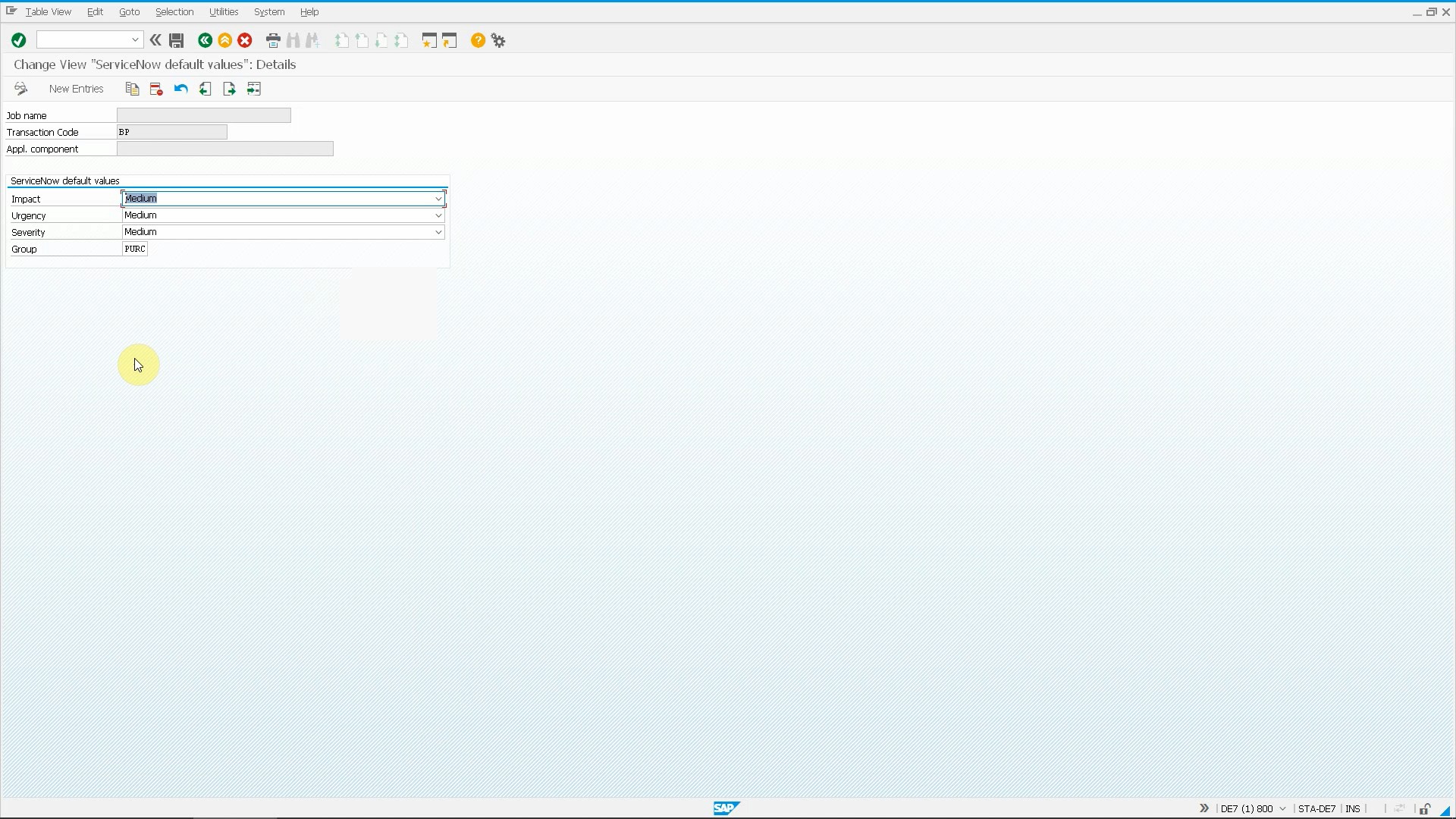
The first step is to maintain the support groups of your ITSM platform in SAP. Once it is done, you can set up the auto-assignment rules. There is no complicated AI or business logic behind this, only a simple configuration table where you can assign your groups to either SAP transactions, application components or background jobs. This is transparent, easy to maintain and works fine. You can also use wildcard characters (*) for convenience, so for example MM-* as an application component value will be valid for all Material Management transactions (screens, reports etc.).

When your SAP users report an error using our Ticket System add-on, the program detects the currently running transaction code and the application component which it belongs to (MM, SD, FI etc.). Using this information, it will look for a matching rule in the configuration table in the following order:

  • Exact transaction code match
  • Transaction code match using wildcards
  • Exact application component match
  • Application component match using wildcards

If any rules are found in the customizing table, the support group is set according to the configuration.

In cases when the process is triggered in a batch job (in a monitoring use case for example) then the program first checks for a matching group assingnment based on the background job name.

Additional features

You may notice on the screenshots that the support group is not the only field that you can define for SAP transactions and modules. It is possible to set any other field like severity, impact, priority or even your custom fields exactly the same way.

You can also control if the support group field shall be visible for the user on the main screen or not. Some organizations prefer to display it so end users can manually override the defaults, some prefer to hide it because of the additional complexity it may cause for some users.

Benefits

The benefits of using this feature are easy to see and understand. Your tickets will be routed to the best matching support group immediately, without any effort from the end users or the service desk. This results in a more efficient service desk and reduced ticket resolution times.

Videos

You can see how automatic support group determination works:

Next steps

Schedule a demo

Let’s make a conference call and show you how our products work and answer all your questions.

Download a free trial

Get a free 30-day trial and test the product in your own SAP systems.

Get in touch

Still have questions? Do not hesitate to contact us and get them answered.

Sharing is caring

Integrate JIRA Service Desk and SAP

Integrate JIRA Service Desk and SAP

Create tickets directly from SAP with all relevant information attached automatically

Jira Service Desk

Integrating SAP and external ITSM tools usually requires a custom development project with a lot of effort, testing and documentation. Moreover, if the ITSM tool is replaced by another one, all efforts need to be invested again.

These problems are solved by our SAP add-on called Ticket System, which is an out of the box solution for integrating SAP and JIRA Service Desk.

Create JIRA Service Desk tickets from SAP

Once our add-on is installed on the SAP application server, SAP end-users can report errors directly from the SAP UI instead of picking up the phone or writing emails. The process is simple:

Users can call our Ticket System from the screen where the error occurred using the System menu. Then the main screen appears where they can enter a short title and a long description of the problem and fill JIRA Service Desk fields. The bottom part of the screen can be customized so you can include all your custom JIRA fields as well.

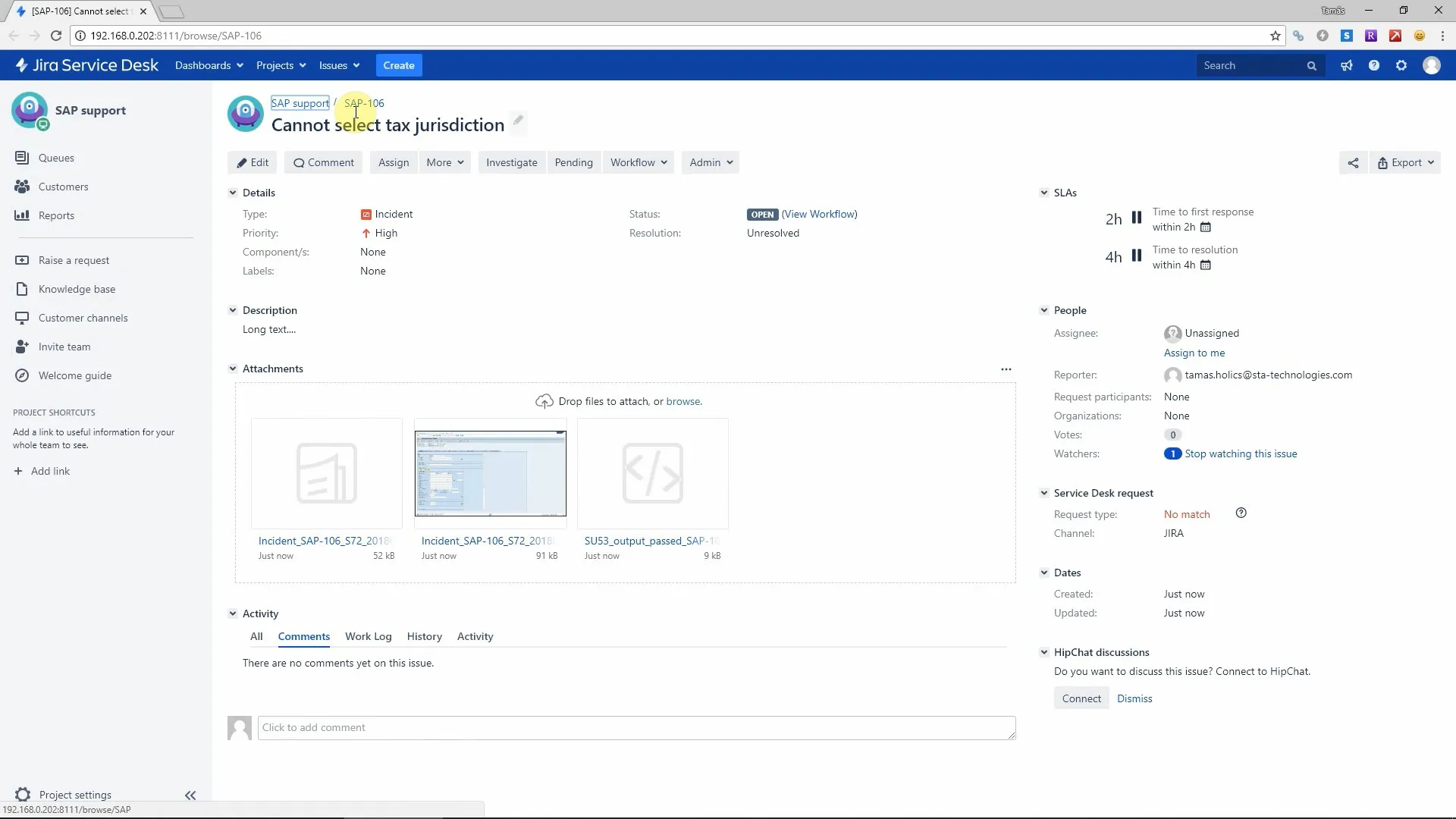
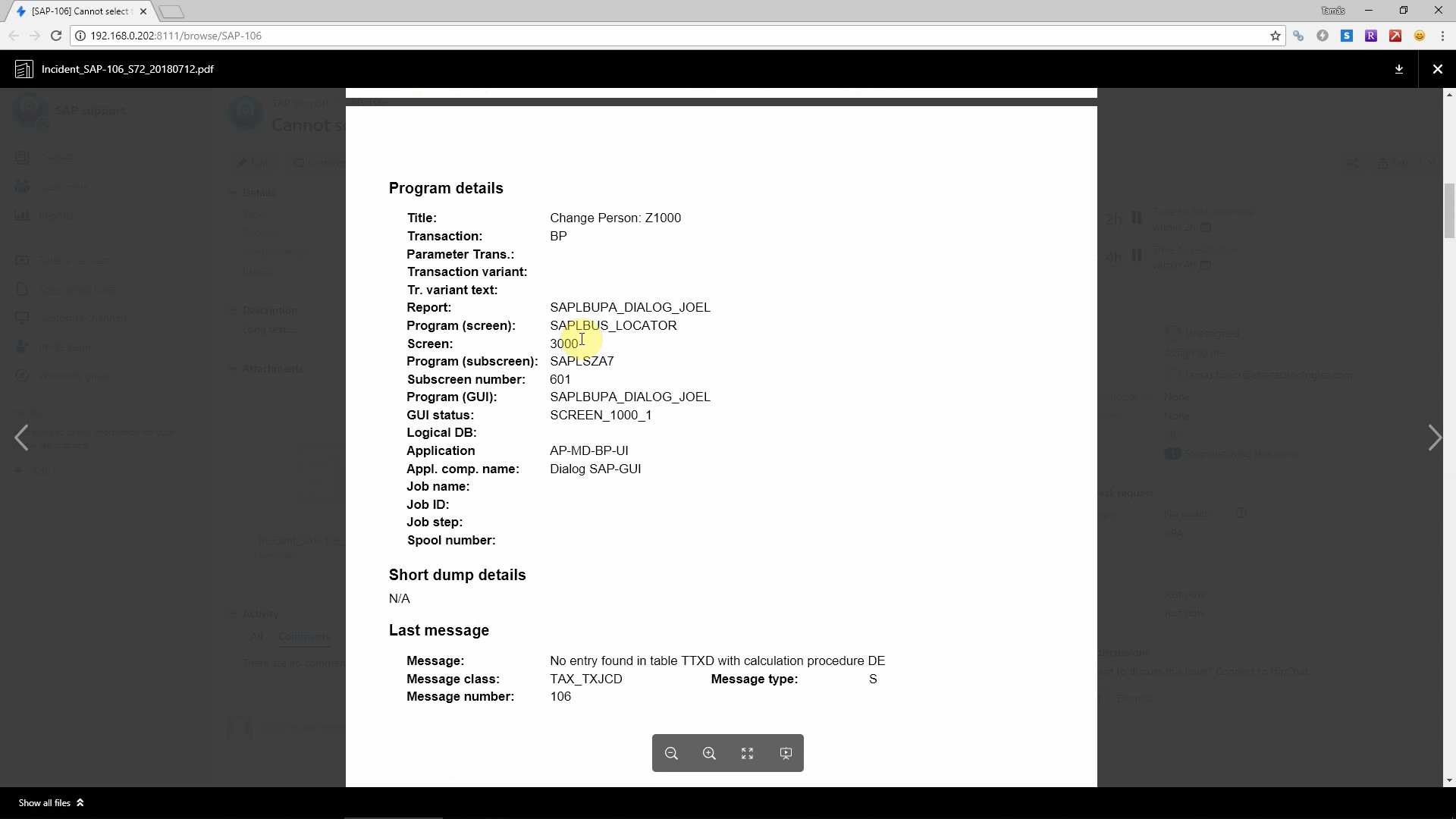
After pressing “Send” the add-on creates the incident in JIRA using the REST API. It will attach a PDF automatically that contains all technical and business information as well as a screenshot and an authorization report.

Eliminate duplicate tickets

You can reduce total incoming ticket volume by up to 20% by notifying your users that their problem is already being solved.

When you submit a ticket using our add-on, it stores all technical details in a custom SAP table. This allows it to check if a new ticket is being created from the same transaction (report or screen) where a ticket was submitted recently. If there are any tickets submitted from the same program, those will be listed in a popup window so the end user can check if the issue is already sent to the service desk.

Our tool provides  a choice for the user: if any of the displayed tickets matches the problem the user wants to report, then there is the option to cancel the ticket creation. This reducees the total ticket volume that arrives at the service desk.

JIRA Service Desk supports marking tickets as duplicates, so users have the option to select a recently submitted ticket, and create a new ticket that will be marked as a duplicate. This allows better transparency without ruining all KPIs and SLAs.

For more information, visit https://sta-technologies.com/eliminate-duplicate-tickets-from-your-it-service-desk/

Automatic support group determination based on SAP transaction

This first important stage in the lifecycle of an incident is the assignment of the relevant support group. There are mechanisms to automate this in several ITSM platforms, but our add-on allows you to implement it at the very first step, still in SAP.

You can set the default support group per SAP transaction, application component (like Material Management, Sales and Distribution etc.) or background job name. You can use wildcard characters so setting this up is easy and flexible. If no rules match the current program where the error happened, a default support group can be taken from the user master data.

You can configure if the group field should be visible on the SAP screen so end users can change it if required, or it will be hidden and populated in the background.

Assigning the support group based on SAP report, program or transaction is probably the most sophisticated way of automatically determining the relevant support group. Setting this up in SAP will speed up ticket resolution time by eliminating the communication overhead of manually assigning the support group.

For more information, visit https://sta-technologies.com/automatic-support-group-determination-based-on-sap-transaction/

Solution Manager alert integration

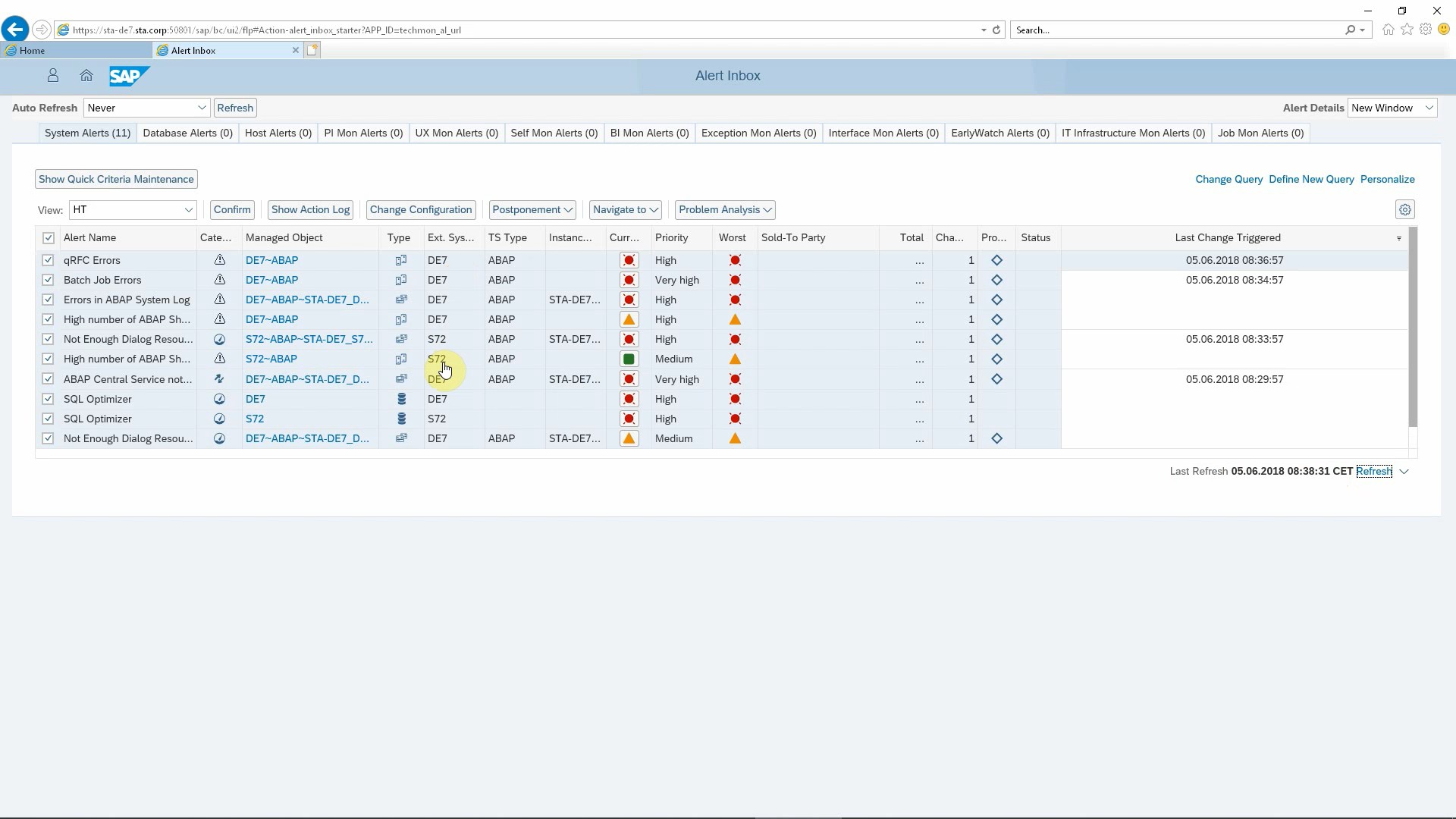
Our Ticket System for SAP can automatically create incidents in JIRA Service Desk whenever an alert is triggered in Solution Manager.

Ticket fields are filled as you configure it in SAP, incident subject and description contain meaningful information. Even direct links to relevant SAP transactions in the affected system can be added. All this helps your support desk to take action instantly to find and solve the problem.

Automatic reactions to Solution Manager alerts will result in less system downtime, faster ticket resolution times and better use of service desk resources.

For more information, visit https://sta-technologies.com/integration-of-itsm-platforms-with-solution-manager-monitoring-and-alerting-infrastructure/

Support of SAP Fiori, Business Client and WebGUI

All frequently used UI technologies are supported by our SAP add-on. Although classic SAP GUI is still the most commonly used UI for SAP, there are more and more Fiori apps developed by SAP and customers.

Benefits

  • You can expect faster ticket resolution due to all the extra information provided and the automatic support group determination.
  • You can reduce the total ticket volume significantly by eliminating duplicates. 
  • Save valuable working time of your SAP users by quicker creation of tickets.
  • Less system downtime thanks to automatic creation of tickets when Solution Manager alerts are raised
  • All these benefits help you to significantly reduce SAP maintenance costs and will bring other indirect benefits like job satisfaction.

Next steps

Schedule a demo

Let’s make a conference call and show you how our products work and answer all your questions.

Download a free trial

Get a free 30-day trial and test the product in your own SAP systems.

Get in touch

Still have questions? Do not hesitate to contact us and get them answered.

Sharing is caring